Hear the source
Offline Android voices, speed control, sentence navigation, and live word highlighting keep attention anchored to the passage.

OpenAI Build Week 2026 · Education
Turn the material in front of you into something you can hear, understand, and study.
One source. One continuous lesson.
Notes arrive as photos, screenshots, scanned pages, and dense documents. Enlighten brings extraction, listening, explanation, and practice into one calm Android workflow.
The learning loop
Paste text or import screenshots, a camera photo, PDF, DOCX, or TXT file. OCR and parsing happen on the phone.
Listen with an installed offline voice while Enlighten tracks the current word and gives sentence-level controls.
The local tutor prepares an explanation while the source is read, then continues into cards, quiz mode, and tutor questions.
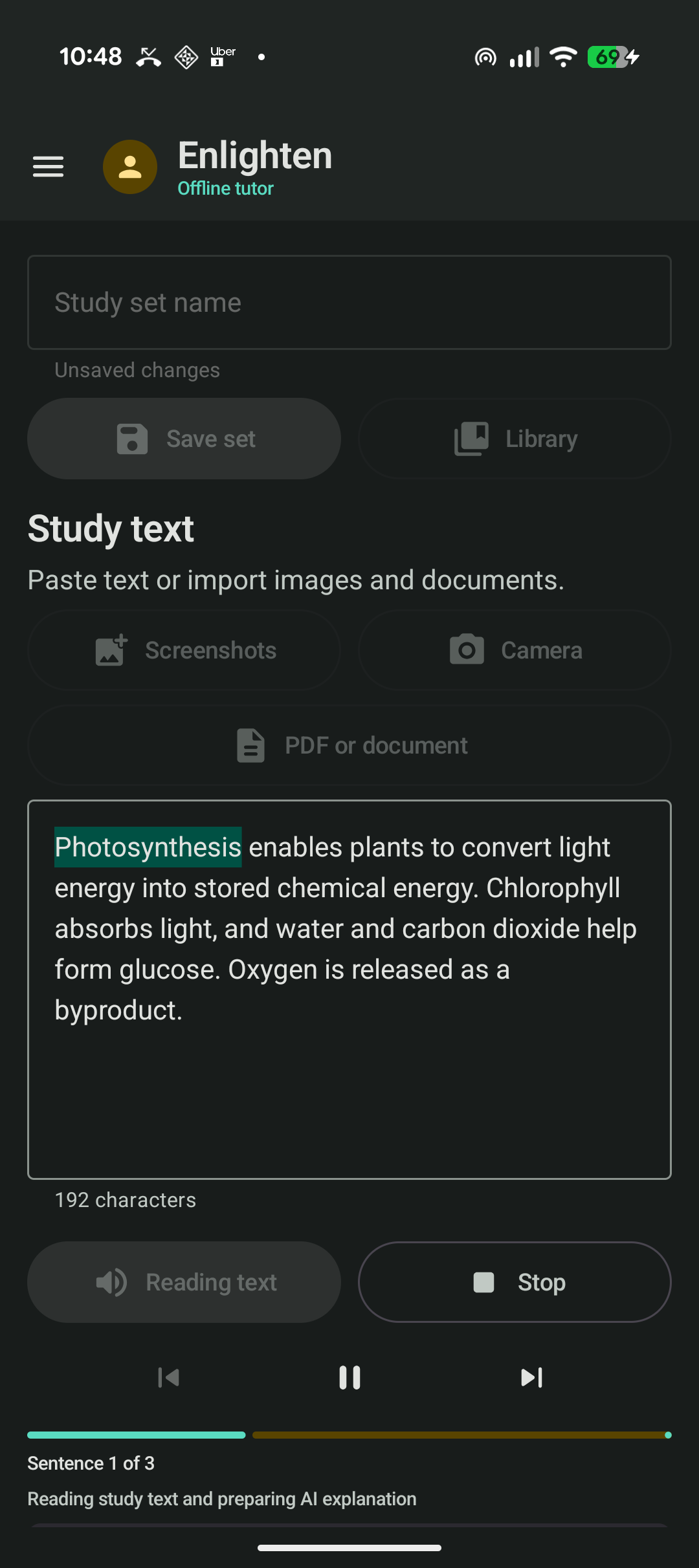
Designed for attention
Enlighten does not hide accessibility behind a settings page. Highlighting, voice, pace, pause, and sentence navigation shape the main study experience.
A complete study session
Offline Android voices, speed control, sentence navigation, and live word highlighting keep attention anchored to the passage.
A private local model turns the material into a simple explanation, important terms, key points, and practice questions.
Create editable flashcards, switch into a self-check quiz, and ask follow-up questions grounded in the same source.
Save the source, explanation, cards, and tutor conversation together as a private study set on the phone.
Local-first by design
Images, documents, OCR, speech, and saved sets stay on the phone. AI text goes to Ollama on the student's own computer over a trusted private network. There is no paid inference API, account, analytics SDK, or cloud OCR upload.
Built with Codex
The human builder defined the learning flow, privacy model, and feature priorities. Codex inspected the codebase, implemented the Android architecture, connected OCR and local inference, designed the speech state machine, fixed real-device issues, and verified the result with tests, lint, and a full technical audit.
Enlighten